Wednesday, January 11, 2012

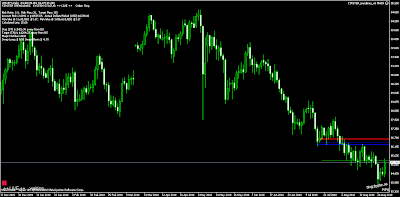
USDJPY not tradeable

I have stopped trading the USD/JPY. If you look at the chart you can see it’s flat lining with no price swings.  Take a look at the ATR on different time frames, the intraday isn’t that great either.

The average weekly range was around 430 points just prior to 2009, and since then it has fallen lower and lower, and now stands at a 117 points PER WEEK. The average daily trading range has often been in the 50-60 points region, sometimes more, but it has dropped off sharply to what must be close to an all-time low of just 31 points.

It is probably best to concentrate on the other major currency pairs instead, such as the GBP/USD and EUR/USD pairs for example, but watch that EUR slide!!

Tuesday, December 27, 2011

Tipster Trendlines for MT4 – NEW


If your looking for an EA to help you place your manual entries, exits, targets and so forth, here is one that I just posted.  All you have to do is load the EA and it draws lines for you, just move them around and start the EA.  Here’s an excerpt from the manual that is posted with the EA file.
Introduction
I wrote this EA to be able to place my manual trades easily, avoid errors, and let the computer do the repetitive tasks. If you enter trades manually this EA should help you.
I use EA robots as well as enter manual trades based on price action. This EA can be used on the same platform as other robots, just make sure the Magic Numbers (MN) are different. This EA also used Magic Number to track, so ensure your broker let’s you use MN’s. Order comments are used but not required. Brokers such as Oanda do not let you use MN’s, and the comment field is filled out by them so be careful, run this on a demo account first to ensure it works as expected.
This document will only discuss the 2P version, the 1P is very similar.
Functionality
To setup an order, you need to place the 5 lines on the chart to a valid location (Entry, Stop, Target 1, Target 2, BreakEven), then go to Expert Advisors Properties and set LimitOrder to true or false. The EA will display the order type on the lower left of the chart, check it before you set “Live” to ‘true’ in EA Properties. Lines can be horizontal or sloped.
The EA determines the type of order based on the location of the lines relative to each other and current price. Note: If the ticket numbers (generate by MT4) are not sequential a pop up box will appear, you can select to delete the orders. If the order ticket numbers are not sequential, the EA cannot manage the trade properly.
Placing a Trade
Here’s a quick run through of how a typical trade set-up is accomplished once the EA is on the chart and MT4 is set up as described above.
1. Set up the lines.
2. Turn on the EA, EA properties à Live = “true”, LimitOrder = “true of false”
3. Price is not between the dashed blue buffer line and the blue entry line, the bottom left on the screen says “+LIVE+ …waiting. Sell Stop order set”.
4. Price is now between the two lines described above, two orders are sent to the broker (pending limit orders), and the only difference is the targets. The bottom left of the screen says “+LIVE+ <<PENDING ORDER>> Sell Stop order for 0.10 lots
5. The target for the second order is always closest to the entry, the EA takes care of this, even when you move the lines around when the trade is open. This is done so it can track the single remaining order once the first target is hit. When you have a pending order (not filled) you can drag the lines around. Note that the lines cannot be on top of each other, the EA keeps them slightly apart so you can grab them.
6. When price hits the entry line you are now in a position, you can drag the lines around. Be careful not to drag the targets or stops to close to current price or your position could be closed unexpectedly. Sometimes it’s a good idea to make Live = false and adjust the lines up, then turn it back on. You can also use the “Expert Advisor” button on the MT4 menu area.
7. A screen capture image is stored in /experts/files/ with the filename that shows the symbol, ticket number, etc so you can figure out what the trade setup was when you look at the picture in the future. Images are captured so you can review your trades later to see what you can improve upon.
8. After price hits a target one order is closed and the other is tracked by the EA as long as it is on and running. If you used horizontal lined you can turn the EA off. If you used sloping lines you need to leave it on so it will update the new order details as new bars open.
9. Once both positions are closed an image capture is stored in /experts/files/
10. To reset the EA you can just delete one of the lines, the line will be re-drawn and the EA will be ready to go again. The best method however, is to got o EA properties, “Reset”, then right click on the chart to “Objects”, CNTL A to select all, then “Delete”. Another way is to use the TipsterDelete script that will clear the screen.
11. Press Q and P at the same time to move the stop back to the red stop line. The EA will only move the stop towards profit and won’t let you move it away unless you press Q and P, then a pop up message appears. For this functionality to work, you must enable dll’s, and live trading.

The link is at the top of the blog.  Or you can search on MQL5.com.

Saturday, December 24, 2011

Prettify / Beautify / format your MQ4 code in 30 seconds (or any code)

Here’s a really easy way to format your code. Formatting code makes it easier to read the logic flow, this little program automatically indents, fixed spaces and tabs. After my EA's get to big and add the debugging to the mix, my formatting starts to slowly go out the window. I run this every now and then, it takes under 30 seconds. This is a command line formatter.

Go get the file from here or here

These links take you to http://astyle.sourceforge.net. The page at one of these links will describe the switches you can use with the command line formatter. I've chosen some that work for me to get your started.

Instructions
1. unzip and find a file called AStyle.exe (windows) in the “bin” directory
2. put the file in the experts directory
3. open up a command prompt window (start>run>cmd)
4. drag the AStyle.exe file into the window
5. add a space then type this after the file name -A2 -s3 --mode=c
6. Add a space then drag and drop the file you want formatted, press enter
7. Done. You see the original was renamed with a “orig” extension.
How easy is that!

A New Forex Broker

Ever since MF Global went tis up, I’ve been on the hunt for a new broker.

Here's my deal;
I use Interactive Brokers, they don't do MT4 though.

I had an account with MF Global, through their Canadian office who were members in the Canadian Investor Protection Fund (CIPF). When they went tits up I didn't have to worry, the CIPF covered me 100% up to a million bucks, I got my full $$ back in the form of a cheque with the help of the courts and KPMG.
Then, I opened a mini account with Oanda a while back, found out they don't allow MagicNumbers and they write a reference number in the comment field. Never thought to check the demo account, I mean why would a criminal do something stupid like like?? Live and learn boys and girls. They suck because of that, money is being withdrawn.  Losers.

After MF Gobal
So now I needed a new criminal....


Rather than reading reviews, I first started looking for a criminal that actually had what I wanted, a little tougher here in Canada. I want a criminal to be CIPF registered. I found thehttp://www.friedbergdirect.com/ only by asking FXCM if they had a Canadian office. When I was using MF Global, they used Boston Technologies for MT4 as do FXCM. So I think I'll be OK with FXCM, I'm going trough the Canadian criminal, Friedberg Direct. Account opening is in progress.
I opened an account with PFGBest a while back, funding is in progress.

I called IBFX to ask them a bunch of questions and fill out my "criminal research sheet" and they said, since TradeStation acquired them, they don't accept Canadians. Now I hate TradeStation even more than I did 6 months ago.  They are scared of Canadian regulations, they can go f*#% themselves.

In the end this is how I want my accounts to be setup:

Interactive Brokers - trade ETF's (index) longer term and some futures (Asia)

FXCM - 0.01 lot size - EA's that have proven to be profitable and bug free on demo are promoted to this account on a low risk setting, trading Live. One reason for this is I notice demo services puke quite often, all kinds of errors and order time outs at normal times of the day. If this account makes $$ I transfer to an account with larger lot sizes. They also offer to reimburse for VPS, account minimum has to be met. I use my home PC right now with cable modem and low downtime - Pentium 4 humming along running 4 MT4's at a time, each with between 3 and 10 charts open.

PFGBest - lot size 0.1 - use for EA's that have graduated and proven themselves to be bug free and profitable. They have a Canadian office but I elected to use the US office and also trade futures. I'll probably change this to the Canadian office and ditch the option to trade futures. Still pondering this.

I’ve almost settled and I’m pretty sure I’ll be OK with PFG and FXCM. I want two separate brokers with 0.1 lots and 0.01 lots. When an EA show promise on demo it graduates

Wednesday, December 14, 2011

MF Global

I had an account with MF Global Canada, they went tits up as you are probably aware.  I actually got 100% of my money back, KPMG handled the deal!!.  The account was with the Canadian branch so I was covered under the Canadian protection fund that was set up years ago to deal with this type of non-sense.  So if you look at my forex performance, you'll see it has stopped trading.  I will be set up with a new broker and funded account by Christmas but I wont trade until January when liquidity is up.

Where is the market going?

Sideways has been the story for a while now after that monster rally that started from the #2 green arrow in area 2.  Notice price never actually entered area 2.  If you look at the chart of SPY (same day) it looks like a failed breakdown, and they say "from failed moves comes fast moves".  

The SPY looks like HigherHighs and LowerLows are in store for a while, but I'll use the QQQ chart to show where I think we are headed.  


Overall, I think we are headed to area 4 - we may bounce or we may crash thru - so the options are to go long at the top of area 4 or short at the bottom (essentially a breakout) for a shorter term profit. If we beak area 4, look for a re-trace back to it, then short.  Once we find ourselves down at area 3 I'm all long right there.

So - in the near term, I'm looking for a bounce at area 4 back up to about 55.50, then down to area 2.  If we take off from area 4 we might have enough steam to punch thru area 3 as this area has been softened already.

Tipster Trendlines for MT4

I use the Forex Factory and the Steve Hopwood forex forums mostly.


If your looking for the MT4 Tipster Trendlines code, go to Steve's site as I'm not posting it at Forex Factory any longer.


www.stevehopwoodforex.com


You have to sign up to be able to download files.

Sunday, November 6, 2011

Where is the market going? Part 3

Well my orders triggered.

I shorted QQQ at $58.99 and also bought a put option on QQQ.

Bracket orders set, waiting for price action to take me out, stop and target set. 

Patience is the game now......

Friday, October 14, 2011

Where is the Market going? - Part 2

In the previous post there was a picture of the QQQ's along with my scribble on future direction.  The short turn bounce(s) shown with the white arrows was close but instead of rolling over and continuing a decline we entered a sideways market where there was high volatility and consolidation.  I have heard that volatility is highest at turning points, but all these phrases mean nothing to me without clear examples. 

The previous post also outlined a large area of supply with a triangle, I have shown the same area in the image below.  The rally that started at the green arrow was powerful and went virtually straight up.  Look for a bounce or quick decline at the rectangle area at the red arrow.  A short trade with a tight stop can be initiated here, low risk, potentially high reward.

This is the approach Sam Seiden would take.  The rectangle had a strong move away, and a strong return back to it.

My plan is to short it at the rectangle.
Enter 3 times, one at the bottom, one in the middle, and one at the top of the triangle.
1st target at about 58
2nd target at about 56
3rd target at about 45
Break even at the first target.
If you use a low commission broker this should be easy.  I use IB so I will even set bracket order using Tipster Trendlines, a set and forget strategy.

You should not follow this plan.  Do your own work.  There is risk of financial loss and you are your own trader.  It does not matter why I am posting this, what matters is that you follow your own trading plan and take responsibility for your actions. 

Move the stop to break even shortly after the bounce

Another approach is to use options.  A put option, I don't know enough about options so I won't do this.

Wednesday, August 10, 2011

Where is the market going?

Here's my take at the levels to watch.  At best the market will go up to the previous high, but this wold take some time.  The speed of the drop was very fast, don't get in the way.  Play the market only at the levels with reasonable stops. 'll be watching the top white line for a short down to the botom white line.  As the market approaches the top white ine, I'll be watching to see if there are other sellers.

Sunday, July 31, 2011

Trading Simulators and Trading Games - Practice Trading Online

A long time ago I stumbled onto a nice little stock trading simulator, played online using a chart, any indicators you choose, and buy/sell buttons.  I went searching for this today and stumbled onto another game.

Try it out, it takes about 3 minutes to play it Futures trading simulator

The better game is called "Chart Game", written by a guy with all kinds of other interesting blog posts such as woodworking projects he has done, and trips he's been on.  This is the game I was looking for... Chart Game.  Maybe a good tool to warm up for a few minutes before you place your first trade of the day.  I played it for an hour today and beat the buy and hold.  I remember playing it a couple of years ago and losing.... consistently.  What a change!!

Chart Game

If you know any other site that offer something online (no need for a download) feel free to add a comment or email the link to me.

Here what this game looks like.

Friday, July 29, 2011

Trend - depends on lots of things doesn't it?


The books tell you that are are many ways to determine the current trend and that you should trade in the direction of the trend.  Want an easy way to figure out the trend? 

Look at the chart below and I think it tells you where is it in the trend picture.  The yellow levels are demand and supply zones.  The books tell you that the trend is currently UP.  All you need to do is map out the supply demand levels and see where you are in between these levels.  Drill down to a finer time frame and rip the profits. 

I'm doing this right now with currency futures.  The performance data you see on this blog on forex is my MT4 account, thats only for spot.  I use Amibroker and Interactive Brokers to trade the futures.  I also use Tipster Trendlines AFL code for Amibroker to place and adjust the trades.


Tuesday, July 12, 2011

Video on Tipster Trendlines for Amibroker

I thought I would offer an update on this code.  The code might be "old" but it sstill works and I still use it.

This code allows you to place trades and modify trades right from the Amibroker chart.  It has much more functionality than the current version of Amibrokers trading off the chart feature.  Watch the video and see for yourself.

Here is the link to read more about this and get the code.  Tipster Trendlines 3

Tipster Trendlines 3 from Another Brian on Vimeo.

This AFL code for Amibroker allows you to place trades right from the Amibroker chart. Once the order is place (transmitted) you can change it just by moving the 3 lines on the chart and pressing the button on the chart window. Once the order is filled, you can move the target and stop lines and press a button the change them too! All you have to do is draw 3 horizontal lines on your chart and you're ready to trade. Watch the video to see how it works.

http://blog.tipster.ca/p/tipster-trendlines-3.html

Monday, July 4, 2011

Forex Contest

Alpari UK started up this years forex contest.  It's free and offers 20K of prizes.
I've already signed up for it, under the name AnotherBrian, account number 28353.
If you want to see where I stand in the league table, here is the link, enter the account number in the search box.

Here's the link to register.

Alpari Forex Contest

Good luck!

Wednesday, June 29, 2011

Tipster SR

So I made a system a while back for MT4, based on support and resistance.  I backtested it and studied it to learn the strenghts and weakness.  I've been demo testing it for about 4 months with good results, its not the grail but it trades without causing platform errors and long term produces some gains. 

On MTI Live, it was running on Anotherbriandemo, you can see it in the comments of the published statement on the MTI site.  It's now running on my real account.  I've adjusted the published statement start date of the Anotherbrian MTI Live account to be the same time I started using it.  I also use two other trading strategies on this account.  ForexMorningTrade and dicretionary trading based on Sam Seiden. 

FMT - I use this as more of a scalper with small lot size - this is like a real account test - I didnt back test it.  I watch it the day it trades to see if I should close it or not. 

Sam Seiden - I usually use a 1 or 4 hour chart for this.  This strategy requires patience.  In order to help me with that, I found having a robot running kills most of the urge to trade, so I can wait as long as it takes.

So, time will tell.

See the right side bar for performance or visit these links
Demo MTI Account
Live MTI Account

For the longest time I've been breakeven or losing slowly.  For the past severla months I've been working on EA's and watching them, and trading myself.  I think I found what works for me, as overtrading is a problem.  Let's see what happens!!  Join the MTI competition for some fun.... it's outlined in the post below.

UPDATE (July3, 2011):  The MTI Live website doesn't seem to show things as they really are unless you include ALL history.  I haven't figure it out yet (how to correctly show stats from a certain day forward).
The Tipster SR EA is LIVE.  It's one of the 3 EA's running on my live account.

Friday, April 29, 2011

Calling All Robots v2

This is a re-post.  The first competition had some technical issues with the rules I set up so I stopped it and created another one.  Join in!!

If you use MT4 (or MT5) and trade forex I invite you to join this free contest. The winner gets bragging rights.

I use MTi to track my performance of both live and demo account. My demo account is running a robot and MTi allows me to see the trade stats. They recently added a new feature called "Competitions". I've started a new competition and I invite you to participate. It's called "Calling All Robots"

To enter you need MT4, and an account with MTi. It's easy to sign up. Once you've signed up you download this and install, it installs automatically. You disable the FTP feature in MT4 options as this new file will upload all the trades to MTi. It's pretty slick.

The competition is scheduled to run from Fri, 27 May 2011 14:08 GMT to Wed, 1 Jan 2020 16:00 GMT
Basically, forever!


Rules The competition is open to both live and demo accounts.

  • All accounts must be in USD.
  • The maximum size of any individual order is 5.00 lots. Competitors will be disqualified if they place an order larger than this during the competition.
  • The maximum volume traded during the competition is 10.00 lots. Competitors will be disqualified if the total volume on trades during the competition is larger than this.
  • Competitors must not make deposits or withdrawals during the competition.
  • Performance is measured from the first equity figure published by your trading software after the competition starts to the last equity figure published before the competition ends.
  • Competitors must publish from the same broker account throughout the competition.

Leader Board


AnotherBrian is my real account.
AnotherBriandemo runs a robots, or robots, on test.  Most robots are of my own making.

I also have started another competition, "Perpetual Trading", its for real accounts only and runs for a long, long time.

Sunday, December 19, 2010

Tipster Trendlines for MT4

I use Amibroker and IB to trade, I place trades right off the charts.  Over the years I've developed AFL code (that's Amibroker language) to allow me to trade off the charts. Now that I'm also using MT4 for some of my trading, I was looking for something similar but haven't found it. So I've begun to code my own. Here are some of the EA's I've considered using on the MT4 platform, but just don't suit me;
  • TrendMeLeaveMe (TMLM)
  • iDRAW
  • Graphic Expert Advisor: AutoGraf
  • EASY
The AFL code for Tipster Trendlines is for sale up at the top right of the blog.  The code for MT4 is free.
 
Here is an overview of the Expert Advisor (EA) called Tipster Trendlines;

  • The EA draws the lines automatically, place the 3 lines for the trade, press F7, select Order type, set Live to true.  Review other options for EA and close the EA Properties. Adjust lines as required, EA will update prices.   
  • When trade is closed, EA locks out. Press F7 and reset, then delete all objects or one of the trendlines.
  • Turn EA OFF before closing a trade or deleteing an order manually.
  • When order is closed by the EA, a screenshot is saved in experts/files"
  • Set up email in the MT4 Options, to receive updates of EA actions 
  • When an order is placed or live trade, it doesnt matter what Ordertype is set to in EA properties 
  • OK to use for multiple charts. To trade same symbol on two charts, use different MagicNumbers.
Here's an overview video


Go here for latest post

Saturday, November 6, 2010

Developing an Auto Trading System

UPDATE - this is the link to the article

http://www.adaptrade.com/BreakoutFutures/Newsletters/Newsletter0305.htm


If you've embarked on developing a trading system with auto execution, you have no doubt discovered that it's not that easy to find something that offers consistent profits.  You have all kinds of idea but not sure how to test them all, thinking it could take forever plus a day to find the right one.  Well there is something called Rapid Prototyping that can help you out.  There's a great article written about this and some AFL to go along with it.  Here's the info and links to get you started.

Article with a great explanation

Original AFL - You may have to fix line breaks to make this code work

// Rapid Prototyping Method for Trading System Development

// Idea from "The Breakout Bulletin March 2005" by Mike Bryant
// AFL coding by mmike

SetTradeDelays(1,1,1,1);
Cond1 = C-Ref(C,-1);
Cond2 = C-Ref(C,-2);
Cond3 = C-Ref(C,-5);
Cond4 = C-Ref(C,-10);
Cond5 = C-MA(C,5);
Cond6 = C-MA(C,25);
Cond7 = C-MA(C,45);

w1 = Optimize("w1",1,-1,1,1);
w2 = Optimize("w2",-1,-1,1,1);
w3 = Optimize("w3",-1,-1,1,1);
w4 = Optimize("w4",1,-1,1,1);
w5 = Optimize("w5",0,-1,1,1);
w6 = Optimize("w6",0,-1,1,1);
w7 = Optimize("w7",0,-1,1,1);

Buy = w1*Cond1>=0 AND w2*Cond2>=0 AND w3*Cond3>=0 AND w4*Cond4>=0 AND
w5*Cond5>=0 AND w6*Cond6>=0 AND w7*Cond7>=0;
Sell = w1*Cond1<=0 AND w2*Cond2<=0 AND w3*Cond3<=0 AND w4*Cond4<=0 AND
w5*Cond5<=0 AND w6*Cond6<=0 AND w7*Cond7<=0;
Short = Sell;
Cover = Buy;


AFL Code modified by me trying out a TTM system

// Rapid Prototyping Method for Trading System Development

// Idea from "The Breakout Bulletin March 2005" by Mike Bryant
// AFL coding by mmike

SetTradeDelays(1,1,1,1);
Plot( C, "Close", colorBlue, styleNoTitle
styleBar
styleThick );


/* Original test system
Cond1 = C-Ref(C,-1);
Cond2 = C-Ref(C,-2);
Cond3 = C-Ref(C,-5);
Cond4 = C-Ref(C,-10);
Cond5 = C-MA(C,5);
Cond6 = C-MA(C,25);
Cond7 = C-MA(C,45);
*/

// TTM and MA

HaClose = (O+H+L+C)/4;
HaOpen = AMA( Ref( HaClose, -1 ), 0.5 );
HaHigh = Max( H, Max( HaClose, HaOpen ) );
HaLow = Min( L, Min( HaClose, HaOpen ) );
barcolor = IIf(HaClose >= HaOpen, colorBlue, colorRed);

//Plot( C, "Close", BarColor , styleNoTitle
styleBar
styleThick);

TTM = IIf(HaClose >= HaOpen, 1, 0);

Cond1 = TTM;
Cond2 = Ref(TTM,-2);
Cond3 = Ref(TTM,-3);
Cond4 = Ref(TTM,-4);
Cond5 = C>MA(C,5);
Cond6 = C>MA(C,50);
Cond7 = C>MA(C,200);


w1 = Optimize("w1",1,-1,1,1);
w2 = Optimize("w2",-1,-1,1,1);
w3 = Optimize("w3",-1,-1,1,1);
w4 = Optimize("w4",1,-1,1,1);
w5 = Optimize("w5",0,-1,1,1);
w6 = Optimize("w6",0,-1,1,1);
w7 = Optimize("w7",0,-1,1,1);

w1 = -1;
w2 = -1;
w3 = 0;
w4 = -1;
w5 = 1;
w6 = -1;
w7 = -1;

Buy = w1*Cond1>=0 AND w2*Cond2>=0 AND w3*Cond3>=0 AND w4*Cond4>=0 AND
w5*Cond5>=0 AND w6*Cond6>=0 AND w7*Cond7>=0;
Sell = w1*Cond1<=0 AND w2*Cond2<=0 AND w3*Cond3<=0 AND w4*Cond4<=0 AND
w5*Cond5<=0 AND w6*Cond6<=0 AND w7*Cond7<=0;
Short = Sell;
Cover = Buy;

Wednesday, September 15, 2010

BOJ Intervention

What happens when a countries bank intervenes on the currency market? This happens...


107 pips in 10 minutes USDJPY
218 pips in 3 hours USDJPY

USDJPY 1 Minute Chart

I was lucky on this one, real lucky. I had an order in on two different pairs and got in right at the bottom of the move.


For this trade, I waited for price to breakout of the down sloping trendline, then placed an order to buy when it returned to the same line. The little arrows on the chart is the pending buy limit order changing with each new bar. Timing is everything? I think it was just luck this time.


This trade was planned days before the event. I watched price approach the trendline and thought about cancelling the order as a move this fast was sure to run out of energy. I quickly looked at the forex calendar for news releases and there was none. Then I checked headlines, BOJ intervention confirmed. I left it to enter and was rewarded.

The red lines on the chart are my stops that were moved up to trail price action. I had to call it a night so I moved it closer. Nice!.

Final result:
EURJPY 229 pips captured
USDJPY 66 pips captured

It doesn't really matter WHY at the moment, trade what you see. This morning I found out WHY. BOJ stuffed 17 billion into the currency market, and really the only currency that moved were the JPY crosses.

Did anyone else make any pips? Let's hear your story.

Friday, August 27, 2010

Tipster Trendlines for MT4

I've written Tipster Trendlines for MT4 that attempts to model the original version for Amibroker. MT4 doesn't allow many of the features I've implemented in Amibroker but it's a lot less coding too, so that offsets the pain of coding. For example, it is very difficult to place buttons on the chart, so I tried using hot keys, and that didn't work.


I had a hot key to re-draw the lines and enable the lines for trading but that impacted every open chart. So I've adapted a different approach. You can follow my progress on Forex Factory forum, and here.

Some different features are available though;
Close of trade triggers a screenshot and saves it to your hard disk.
Sloping trendlines can be used, the prices are updated with each new bar. This means you can trade breakouts of sloped lines, or touches (stop and limit orders).

If you know how to program MT4, I welcome your comments here or on the forum.


... and I've been using Tipster Trendlines for MT4, the results of my trades are shown on the right side of the blog.

USDJPY

In the coming weeks I'm going to be following the forex pair USDJPY from a purely technical perspective. It has been said that the government may step in to balance the currency as it approaches the low it set in April 1995. Below is the chart I've marked up with trendlines and the 1995 support zone.


I will be trading two different timeframes, the daily (with the weekly as reference) and the 4 hour. The four hour will attempt to capture small moves. The daily, I'll be looking to enter in the blue zone on a retracement. I'll be using my IB account for the longer term trades and MT4 with my forex broker for the smaller moves.

Saturday, August 14, 2010

Tipster Trendlines FAQ

Just in case you weren't aware, there is a FAQ on Tipster Trendlines.

Here's the link

Tipster Trendlines FAQ

Sunday, June 27, 2010

Metatrader Forex Data and back testing

I finally found a source for free forex data that is complete, and FREE!

Here is the link to the file - Metatrader Free Forex Data

And the recommended set-up to back test your EA on MT4, follow this link

Set up for back test

There are other helpfull articles on that website also. I took a look at the two systems they are offering for sale and they don't fit my style. I like smooth equity curves. One of the systems has a 30% win rate, I like small gains with high win rates.

Tuesday, April 27, 2010

Tipster Trendlines 3a now available

The AFL code that allows you to trade right from the Amibroker chart is


now available.


Click the image below to read about it, watch a video, and order.

I recommend you read the Tipster Trendlines FAQ before your order.

Friday, April 2, 2010

Tipster Trendlines 3

The new version will be available soon. Click the image to read about all the new features. You can place your order today and I'll send the code to you on the release date.

Sunday, March 28, 2010

EUR USD TRADE

Last week I caught a big move and rode it for a nice profit. It was the breakdown of EURUSD below 1.3450 area (support area on the daily chart and also going back to May 2009). Now its getting back to that area (revisiting, support becomes resistance) and I'm considering shorting again. The only thing that looks odd is the speed at which it has re-visited the area. It doesn't look so odd on smaller time frames. With proper risk management and appropriate stop placement this is worth a go since the reward (profit area) is quite far away when looking at the daily chart, 1.2900 area. Here's the chart... as I see it.


Here's the hourly picture. Watch out for early Sunday fake outs, including gap plays.

Market Scan NASDAQ and other US markets

Here's the same scan from the previous post applied to my US stocks database. I don't typically play US stocks.
Check out the stocks with the NR7, their in pull back mode, I buy on STOP. I look at the intraday 15 minute chart where I have the 5 day MA plotted. The 5 day MA has to be flattening out, then I buy the break out for a swing trade, using a bracket order.
My tool for placing order is Tipster Trendlines. It is an Amibroker AFL for the chart that allows me to draw horizontal lines on the chart and hit the order button, sending the bracket order to TWS (Interactive Brokers trading platform). If your interested in it, the link is at the top of the blog.

Saturday, March 27, 2010

Market Scan - TSX

Here is an example of a scan I'll do when I'm looking for a swing trade on the TSX. The output window is shown below, along with a few stocks that i would consider entering on STOP orders, all are long entries.
The coloumns I generally look at in the output window are;

  • AlphaLong when the market is in an uptrend
  • NR7 - scans for narrow range bars in the last 7 bars
  • Stochastics - below 40 - this just ensure I filter out stocks that have moved already

Behind the scenes in the scan I'm looking at the 5, 20, and 50 SMA, with a price cut off and volume cut off (55 day average volume more than 200K)

On the chart, the arrows are coloured, the legend is at the top of the chart. Notice the NR7 arrows....

I use Tipster Trendlines AFL code for Amibroker to place my trades. It's a great tool to place the trade right from the Amibroker chart. Interactive Brokers is who I use.


Saturday, March 13, 2010

Tipster Trendlines - Version 3 beta

The new code is in beta testing.

The goal of the new code is to never have to see TWS again!

New features include;

  • Ability to easily see if your in a position or not
  • One order button instead of a seperate Long and Short button
  • Shows if an order is placed and not filled
  • Ability to modify the order after it's placed, from the chart
  • If you place an order and re-boot, the chart can still be used to modify the bracket if the order is still open (great for swing trading)
  • Turn bracket on or off so you can use any combination of the order with a stop or target
  • Colours have been modified to make it easier on the eyes
  • Price plot is set to your default so you are free to change it from the preferences menu

Anyone that has previously purchased earlier versions will be sent the code via email once it is ready.

Saturday, February 13, 2010

Bracket Trader Stats

Here is a handy tool if you use Bracket Trader (BT). This excel file will extract information from your BT log files to give you trading stats. Take a look at thew different stats it tracks.

Bracket Trader Spreadsheet

The instructions are good, so no need for me to explain how to use it.

Sunday, January 17, 2010

A free e-book

... after reading the title of this post you're probably thinking that I made an e-boook and I'm giving it away for free. Not. Maybe one day. I want to give you another hint on finding books.

Earlier I wrote about finding free e-books using Google "
Free ebook for everyone - how to find free books online". Go to that post and read the instructions, and become familiar with Googles advanced search.

A while back I read this post by RiskAddict
"Example Trading System" and went to the link he provided to download the e-book. It wouldn't let me get the book, something about maximum limit reached. So I went up to the Google tool bar and typed in "book" and selected "search site" from the Google drop down menu. From there I browsed through the hits and selected the PDF.

Here is the link that Google spit out, download the PDF while it's still there -
How to develop a futures trading system ebook

10 tips from the website with the book;

  1. Do not feel compelled to always have a trade on or to trade everyday. Capital preservation is the key to successful trading and sometimes that just means waiting when the odds are not in your favour. Throughout all my years of investing I've found that the big money was never made in the buying or the selling. The big money was made in the waiting." Jesse Livermore
  2. Develop your own proven trading system - accept that losing trades will be part of that system.
  3. Do not let
fear and greed influence your trading decisions.
  • Trading is a business, be strategic and logical.
  • Learn something new everyday that will help to maintain or increase your edge.
  • Keep a trading journal and review why your actual trades vary from your trading plan.
  • Do not fight the market, it's easier to run with the wind than against it.
  • Always trade with a stop loss and never move that stop further away or remove it completely. Do not allow a day trade to become a long term investment.
  • Become an expert, know your market inside out. Be it options, futures or an individual stock - you should strive to become the World authority in it!
  • The market will rarely do what it 'should' be doing. Instead focus on what it is doing.
  • Wednesday, January 13, 2010

    Playback to Bracket Trader

    There are two ways to backtest that I know of using Amibroker;
    Use the backtester
    use the playback feature

    Backtester - This requires some coding, coding that isn't required when trading live with Amibroker, Bracket Trader, and TWS. You have to watch out for a whole basket of different issues that can creep into the test. It remains a valuable tool.

    Playback simulation - This is a great tool for practicing discretionary trading. It's also a great tool for testing your Bracket trader (BT) interface / system. If it would just work! I searched high and low and the net for some information on how to do this, or code that I could simply drop into Ami that would "make it happen". The good news is that I've finally got it to work, and surprisingly it wasn't to difficult to code, but getting the bug out was an issue.

    Ive used it to test several days of 1 minute HSI system with BT to get the stats from it. The last thing I just completed tonight was exiting positions near the close. Still a few issues to work out with that. Still, the most difficult part is finding a system that generates a profit, I'm looking for a winning ratio of 40% or better.

    Is anyone else using Amibroker playback in this fashion?

    I was contemplating doing a video on this and posting the code. Not sure I want to spend the time to do it though.

    Disclaimer

    The information presented on this site is for educational and entertainment purposes only. This site contains no suggestions or instructions that you must follow, do your own research and due diligence before committing your cash to the markets. Your on your own.