Sunday, December 19, 2010

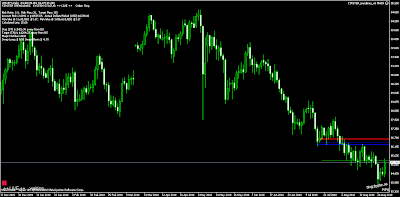
Tipster Trendlines for MT4

I use Amibroker and IB to trade, I place trades right off the charts.  Over the years I've developed AFL code (that's Amibroker language) to allow me to trade off the charts. Now that I'm also using MT4 for some of my trading, I was looking for something similar but haven't found it. So I've begun to code my own. Here are some of the EA's I've considered using on the MT4 platform, but just don't suit me;
  • TrendMeLeaveMe (TMLM)
  • iDRAW
  • Graphic Expert Advisor: AutoGraf
  • EASY
The AFL code for Tipster Trendlines is for sale up at the top right of the blog.  The code for MT4 is free.
 
Here is an overview of the Expert Advisor (EA) called Tipster Trendlines;

  • The EA draws the lines automatically, place the 3 lines for the trade, press F7, select Order type, set Live to true.  Review other options for EA and close the EA Properties. Adjust lines as required, EA will update prices.   
  • When trade is closed, EA locks out. Press F7 and reset, then delete all objects or one of the trendlines.
  • Turn EA OFF before closing a trade or deleteing an order manually.
  • When order is closed by the EA, a screenshot is saved in experts/files"
  • Set up email in the MT4 Options, to receive updates of EA actions 
  • When an order is placed or live trade, it doesnt matter what Ordertype is set to in EA properties 
  • OK to use for multiple charts. To trade same symbol on two charts, use different MagicNumbers.
Here's an overview video


Go here for latest post

Saturday, November 6, 2010

Developing an Auto Trading System

UPDATE - this is the link to the article

http://www.adaptrade.com/BreakoutFutures/Newsletters/Newsletter0305.htm


If you've embarked on developing a trading system with auto execution, you have no doubt discovered that it's not that easy to find something that offers consistent profits.  You have all kinds of idea but not sure how to test them all, thinking it could take forever plus a day to find the right one.  Well there is something called Rapid Prototyping that can help you out.  There's a great article written about this and some AFL to go along with it.  Here's the info and links to get you started.

Article with a great explanation

Original AFL - You may have to fix line breaks to make this code work

// Rapid Prototyping Method for Trading System Development

// Idea from "The Breakout Bulletin March 2005" by Mike Bryant
// AFL coding by mmike

SetTradeDelays(1,1,1,1);
Cond1 = C-Ref(C,-1);
Cond2 = C-Ref(C,-2);
Cond3 = C-Ref(C,-5);
Cond4 = C-Ref(C,-10);
Cond5 = C-MA(C,5);
Cond6 = C-MA(C,25);
Cond7 = C-MA(C,45);

w1 = Optimize("w1",1,-1,1,1);
w2 = Optimize("w2",-1,-1,1,1);
w3 = Optimize("w3",-1,-1,1,1);
w4 = Optimize("w4",1,-1,1,1);
w5 = Optimize("w5",0,-1,1,1);
w6 = Optimize("w6",0,-1,1,1);
w7 = Optimize("w7",0,-1,1,1);

Buy = w1*Cond1>=0 AND w2*Cond2>=0 AND w3*Cond3>=0 AND w4*Cond4>=0 AND
w5*Cond5>=0 AND w6*Cond6>=0 AND w7*Cond7>=0;
Sell = w1*Cond1<=0 AND w2*Cond2<=0 AND w3*Cond3<=0 AND w4*Cond4<=0 AND
w5*Cond5<=0 AND w6*Cond6<=0 AND w7*Cond7<=0;
Short = Sell;
Cover = Buy;


AFL Code modified by me trying out a TTM system

// Rapid Prototyping Method for Trading System Development

// Idea from "The Breakout Bulletin March 2005" by Mike Bryant
// AFL coding by mmike

SetTradeDelays(1,1,1,1);
Plot( C, "Close", colorBlue, styleNoTitle
styleBar
styleThick );


/* Original test system
Cond1 = C-Ref(C,-1);
Cond2 = C-Ref(C,-2);
Cond3 = C-Ref(C,-5);
Cond4 = C-Ref(C,-10);
Cond5 = C-MA(C,5);
Cond6 = C-MA(C,25);
Cond7 = C-MA(C,45);
*/

// TTM and MA

HaClose = (O+H+L+C)/4;
HaOpen = AMA( Ref( HaClose, -1 ), 0.5 );
HaHigh = Max( H, Max( HaClose, HaOpen ) );
HaLow = Min( L, Min( HaClose, HaOpen ) );
barcolor = IIf(HaClose >= HaOpen, colorBlue, colorRed);

//Plot( C, "Close", BarColor , styleNoTitle
styleBar
styleThick);

TTM = IIf(HaClose >= HaOpen, 1, 0);

Cond1 = TTM;
Cond2 = Ref(TTM,-2);
Cond3 = Ref(TTM,-3);
Cond4 = Ref(TTM,-4);
Cond5 = C>MA(C,5);
Cond6 = C>MA(C,50);
Cond7 = C>MA(C,200);


w1 = Optimize("w1",1,-1,1,1);
w2 = Optimize("w2",-1,-1,1,1);
w3 = Optimize("w3",-1,-1,1,1);
w4 = Optimize("w4",1,-1,1,1);
w5 = Optimize("w5",0,-1,1,1);
w6 = Optimize("w6",0,-1,1,1);
w7 = Optimize("w7",0,-1,1,1);

w1 = -1;
w2 = -1;
w3 = 0;
w4 = -1;
w5 = 1;
w6 = -1;
w7 = -1;

Buy = w1*Cond1>=0 AND w2*Cond2>=0 AND w3*Cond3>=0 AND w4*Cond4>=0 AND
w5*Cond5>=0 AND w6*Cond6>=0 AND w7*Cond7>=0;
Sell = w1*Cond1<=0 AND w2*Cond2<=0 AND w3*Cond3<=0 AND w4*Cond4<=0 AND
w5*Cond5<=0 AND w6*Cond6<=0 AND w7*Cond7<=0;
Short = Sell;
Cover = Buy;

Wednesday, September 15, 2010

BOJ Intervention

What happens when a countries bank intervenes on the currency market? This happens...


107 pips in 10 minutes USDJPY
218 pips in 3 hours USDJPY

USDJPY 1 Minute Chart

I was lucky on this one, real lucky. I had an order in on two different pairs and got in right at the bottom of the move.


For this trade, I waited for price to breakout of the down sloping trendline, then placed an order to buy when it returned to the same line. The little arrows on the chart is the pending buy limit order changing with each new bar. Timing is everything? I think it was just luck this time.


This trade was planned days before the event. I watched price approach the trendline and thought about cancelling the order as a move this fast was sure to run out of energy. I quickly looked at the forex calendar for news releases and there was none. Then I checked headlines, BOJ intervention confirmed. I left it to enter and was rewarded.

The red lines on the chart are my stops that were moved up to trail price action. I had to call it a night so I moved it closer. Nice!.

Final result:
EURJPY 229 pips captured
USDJPY 66 pips captured

It doesn't really matter WHY at the moment, trade what you see. This morning I found out WHY. BOJ stuffed 17 billion into the currency market, and really the only currency that moved were the JPY crosses.

Did anyone else make any pips? Let's hear your story.

Friday, August 27, 2010

Tipster Trendlines for MT4

I've written Tipster Trendlines for MT4 that attempts to model the original version for Amibroker. MT4 doesn't allow many of the features I've implemented in Amibroker but it's a lot less coding too, so that offsets the pain of coding. For example, it is very difficult to place buttons on the chart, so I tried using hot keys, and that didn't work.


I had a hot key to re-draw the lines and enable the lines for trading but that impacted every open chart. So I've adapted a different approach. You can follow my progress on Forex Factory forum, and here.

Some different features are available though;
Close of trade triggers a screenshot and saves it to your hard disk.
Sloping trendlines can be used, the prices are updated with each new bar. This means you can trade breakouts of sloped lines, or touches (stop and limit orders).

If you know how to program MT4, I welcome your comments here or on the forum.


... and I've been using Tipster Trendlines for MT4, the results of my trades are shown on the right side of the blog.

USDJPY

In the coming weeks I'm going to be following the forex pair USDJPY from a purely technical perspective. It has been said that the government may step in to balance the currency as it approaches the low it set in April 1995. Below is the chart I've marked up with trendlines and the 1995 support zone.


I will be trading two different timeframes, the daily (with the weekly as reference) and the 4 hour. The four hour will attempt to capture small moves. The daily, I'll be looking to enter in the blue zone on a retracement. I'll be using my IB account for the longer term trades and MT4 with my forex broker for the smaller moves.

Saturday, August 14, 2010

Tipster Trendlines FAQ

Just in case you weren't aware, there is a FAQ on Tipster Trendlines.

Here's the link

Tipster Trendlines FAQ

Disclaimer

The information presented on this site is for educational and entertainment purposes only. This site contains no suggestions or instructions that you must follow, do your own research and due diligence before committing your cash to the markets. Your on your own.