
A video on the new version
Friday, April 13, 2012

Saturday, April 7, 2012
Tipster Trendlines for Amibroker Group (Forum) on Google
I opened up a discussion group, if you have purchased Tipster Trenlines you should have received an email invite for this closed invitation only group.
If you didn't get the invite, send me an email.
If you didn't get the invite, send me an email.
Tipster Trendlines |
Visit this group or here |
Tuesday, March 27, 2012
MultiCharts Discretionary Trader – Gonzo
I downloaded MultiCharts Discretionary Trader a while back and installed it. It took me a little while to get around to testing it. It’s a free version of the platform.
It’s prefect for the way I trade, from the charts. It connects to many many brokers, including IB’s TWS. It can place brackets and fades, trailing stops, etc. with ease. It shows all of this on the chart, very very nice. What’s the catch?
Well, it was introduced on Feb 1, 2011 and discontinued on March 19, 2012. Here is the post from them that announces the end of the free-bee.
Quite a marketing scam isn’t it.
Here is a blog post or two that tells you all about the chart trading feature.
Post 1
Post 2
I still have the installation file on my PC, and I’m still testing it with TWS. Try looking for a torrent if you need the file. Go to your favourite site, like pirate bay and put this in the search field *multicharts*
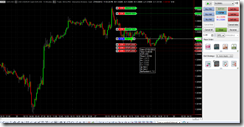
It’s prefect for the way I trade, from the charts. It connects to many many brokers, including IB’s TWS. It can place brackets and fades, trailing stops, etc. with ease. It shows all of this on the chart, very very nice. What’s the catch?
Well, it was introduced on Feb 1, 2011 and discontinued on March 19, 2012. Here is the post from them that announces the end of the free-bee.
Quite a marketing scam isn’t it.
Here is a blog post or two that tells you all about the chart trading feature.
Post 1
Post 2
I still have the installation file on my PC, and I’m still testing it with TWS. Try looking for a torrent if you need the file. Go to your favourite site, like pirate bay and put this in the search field *multicharts*

Sunday, March 4, 2012
Running Multiple Copies of MT4
How do you synch the files (experts, scripts, etc.) between multiple copies of MT4?
Where do you run your line MT4? …and your demo? How fast does the machine need to be?
Here is my routine and set-up, to give you something to think about.
I have two computers.
1. One I use on a day to day bases to check email, surf, do MT4 coding and back testing, general stuff. It’s blazing f’n fast with RAID hard drives. Windows 7, AMD IIX4 3.2Ghz, 8Gb ram, 64 bit OS. I don’t need this speed for this PC but I needed a new PC, the price was right.
2. Second PC is an old P4 running XP, 3.0Ghz and 4GB ram. I hate using it as a day to day, it’s to slow and can’t keep up with me. But as a trading machine sitting in the corner it’s quite happy. I also run Winamp on it 24/7 with an FM transmitter PCI card in it so I have tunes all over my house.
3. NAS – Network Area Storage – 1TB of redundant drives. This is where the MP3’s are that played on the second computer. This is where I store my MT4 files for back-up and synching.
Here’s the drill:
Saturday – On computer 2 – run cCleaner to get rid of old files, and a registry check, defrag the hard drive, run a virus scan full power down, power up. Virus scanner doesn’t check my trading directories, I excluded them. All files to this machine come from computer 1 anyways, and they get checked there. I use the free Microsoft virus scanner.
Sunday – set-up trades on my live accounts running on computer 2. Also set up some trades on demo account running on computer 1. I also run a demo on computer 2 that copies trades from other traders, checking to see if this is worthwhile.
During the Week – might do some coding on computer 1. Once I’m done, I run Microsoft SyncToy. It copies all the files in my demo MT4 coding platform to the NAS for storage. Then it copies those files to computer 2 to all the MT4 platforms running there. I have to run SynchToy twice for the changes to make.
To format my code before I am finished with it, I do this:
Downloaded AStyle.exe, a free open source formatter. Put it in experts and scripts directory. Then I made a batch file and put it in there as well. To format my code, double click the format.bet file and away you go, takes less than a second. Here is the batch file called “format.bat”
ECHO OFF
ECHO ...............................................
ECHO THIS WILL FORMAT ALL MQ4 FILES IN THIS DIRECTORY
ECHO ...............................................
pause
AStyle.exe -A2 -s3 --mode=c *.mq4
ECHO ...............................................
ECHO CHECK RESULTS AND PRESS ANY KEY TO EXIT
ECHO ...............................................
pause
Here is the interesting part, how much processor does the MT4 take up? It depends on how many ticks are coming in, that triggers your EA’s to execute. Here’s a short video on using a tick simulator while running several MT4’s with EA’s and how the number of ticks per second causes the processor load to increase.
Subscribe to:
Posts (Atom)




 Posts
Posts

